Categories
Submit E-Invoice using Journal Entries
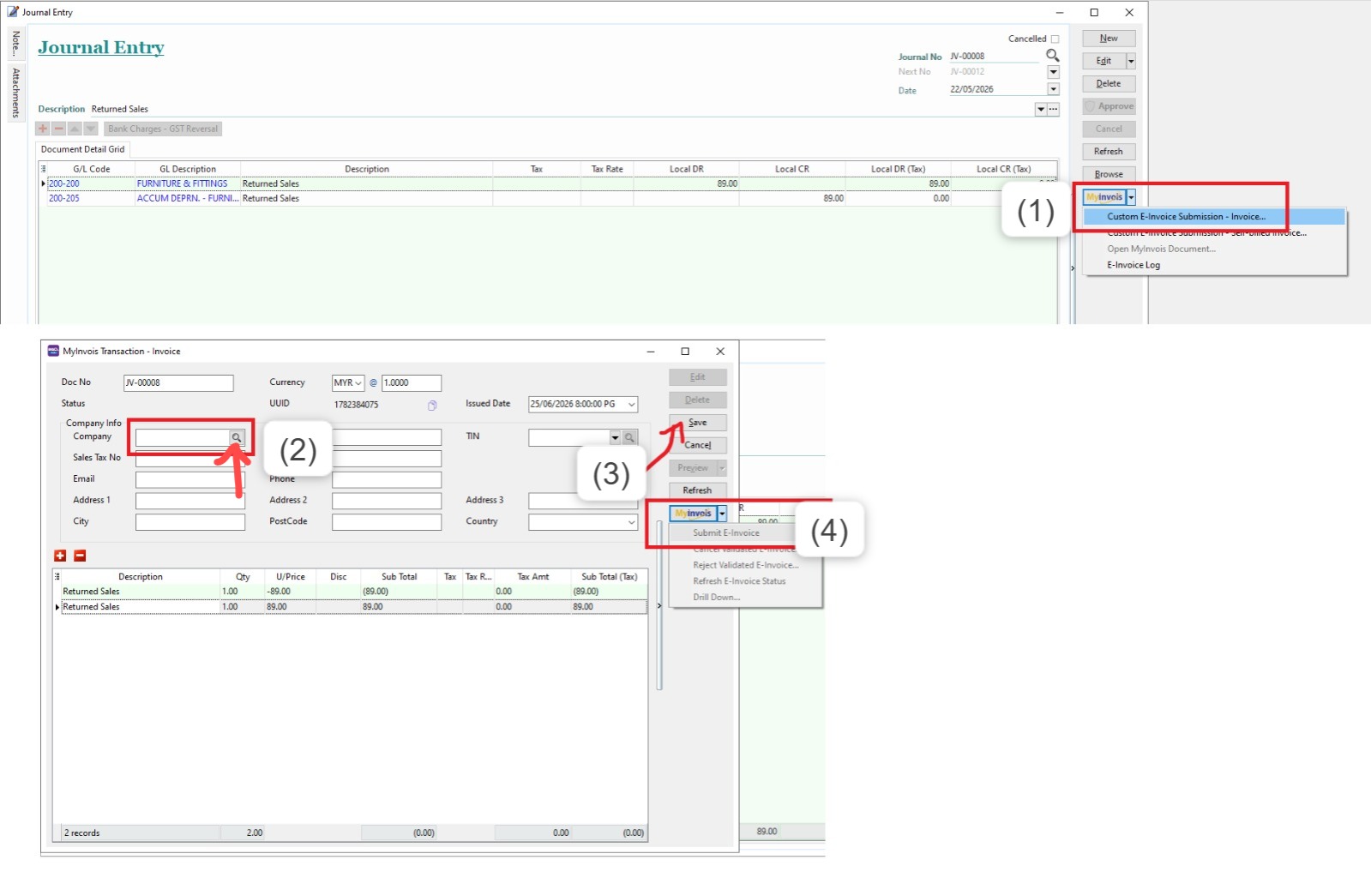
To Submit E-Invoice using Journal Entry, You May Follow this step :
1. Click on Journal Document that you want to submit
2. On the right side > click MyInvois > click Custom E-Invoice Submission - Invoice
3. After click that > may search the company at the company info. PLEASE SEARCH USING THE SEARCH ICON
4. After done research, the company info will show up and click SAVE
5. on the right side, click MyInvois > click Submit E-Invoice
*May Refer to the Image Below: