Categories
3. How to create new supplier - Maintain Supplier
Maintain Supplier
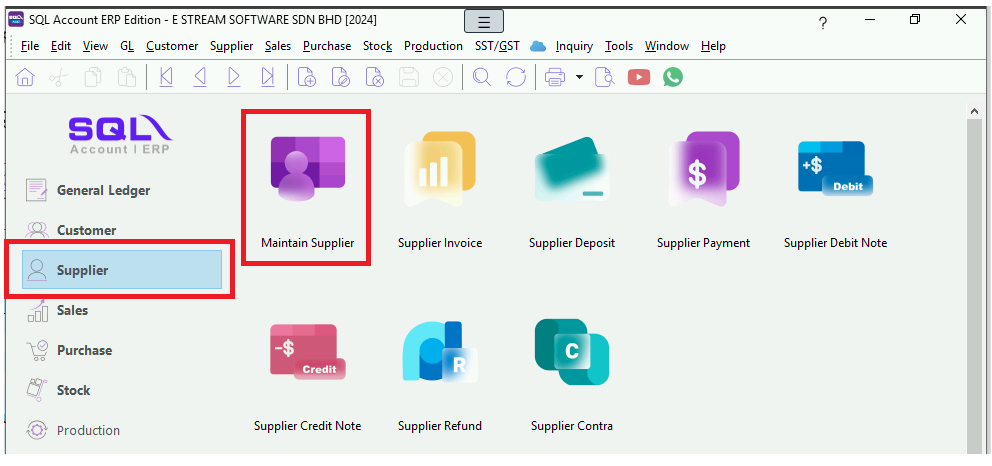
1. Supplier | Maintain Supplier
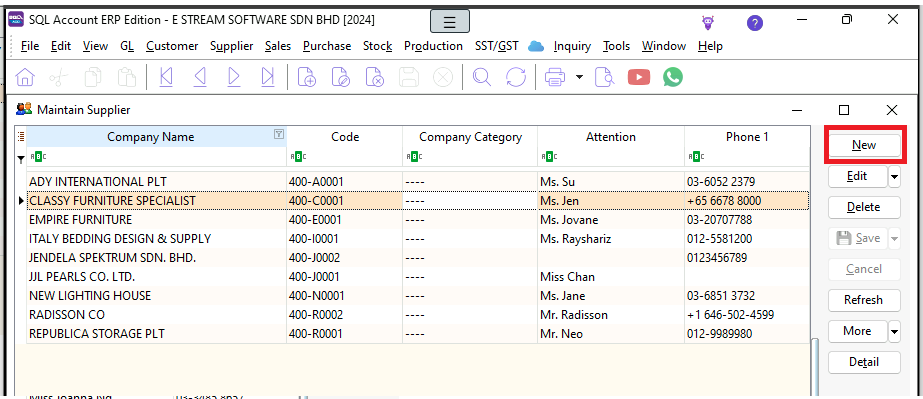
2. New
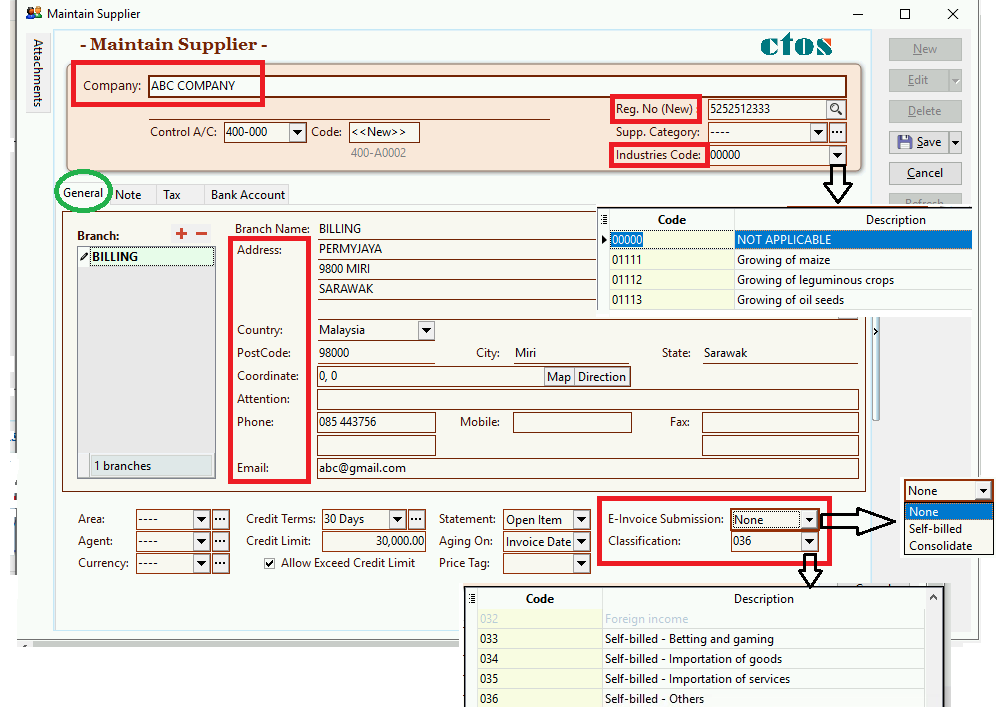
3. General | Complete the information accordingly
- Company Name
- Reg. No
- Industries Code
- Address
- Country
- Postcode, City, State
- Attention
- Phone
- Email (Optional)
- E-Invoice Submission : none (no submission), self-billed (individual self-billed E-invoice), consolidated (consolidate self-billed E-invoice)
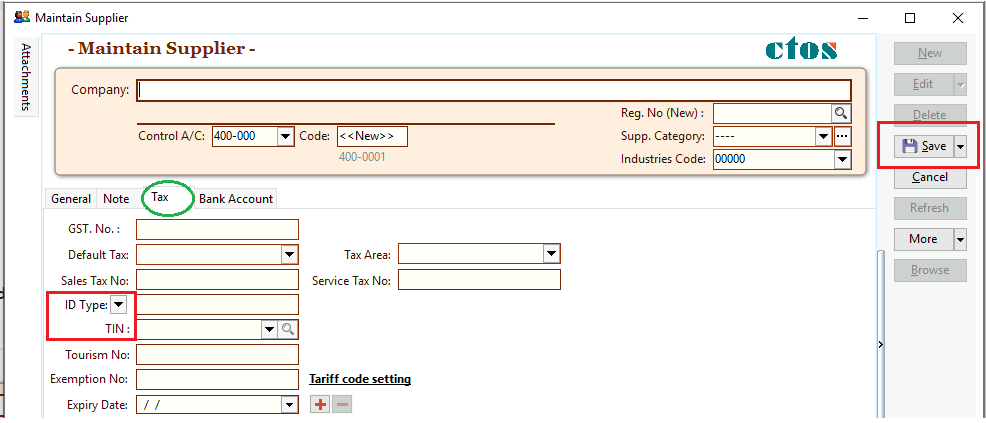
4. Tax | ID Type (IC or BRN) | TIN (may request or client or click search to obtain) | Save