Categories
Zeoniq POS - How to Use Block Item By Quantity Feature
Usage
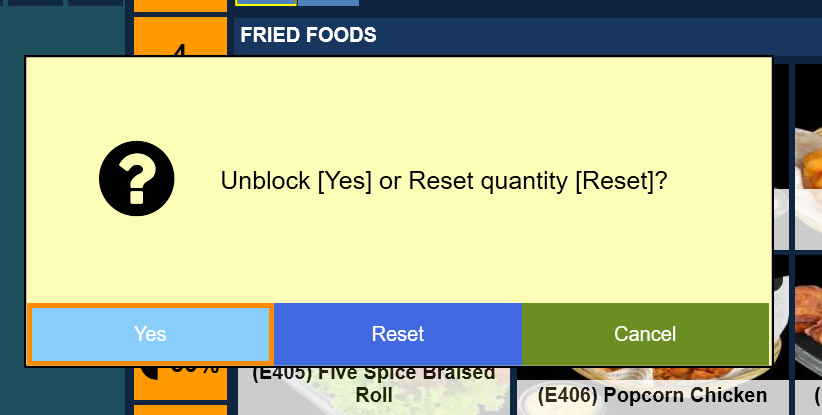
1. Right-click desired item to set the quantity, A pop-up will appear and click "Yes".
2. After click yes, enter the desired quantity amount , for example "5" and press enter. If there are no quantity, put "0" to instant block the item from sales.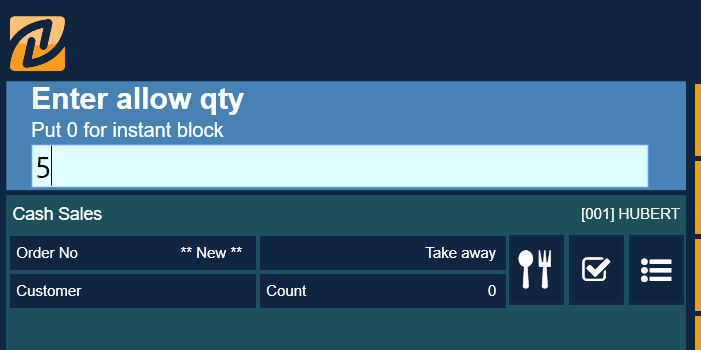
3. After entering the amount, Refresh the POS Menu page to update the page.

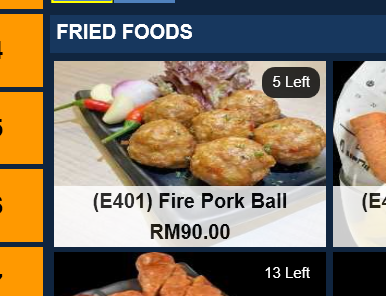
4. After refreshing, the affected item now shows the stock quantity on the item button.
5.
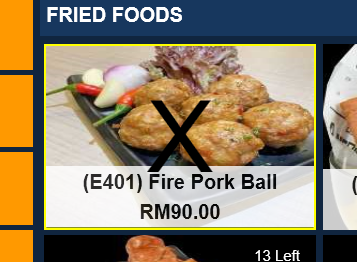
To reset the quantity amount, repeat step 1 above and click "Yes". Doing so will block the item.

6. Repeat step 1 again,
then click "Reset" and key-in the desired quantity as in step 2.