Categories
01. CXM how to add credit or points to member
How to Search for a Member:
Go to Entity → Member.
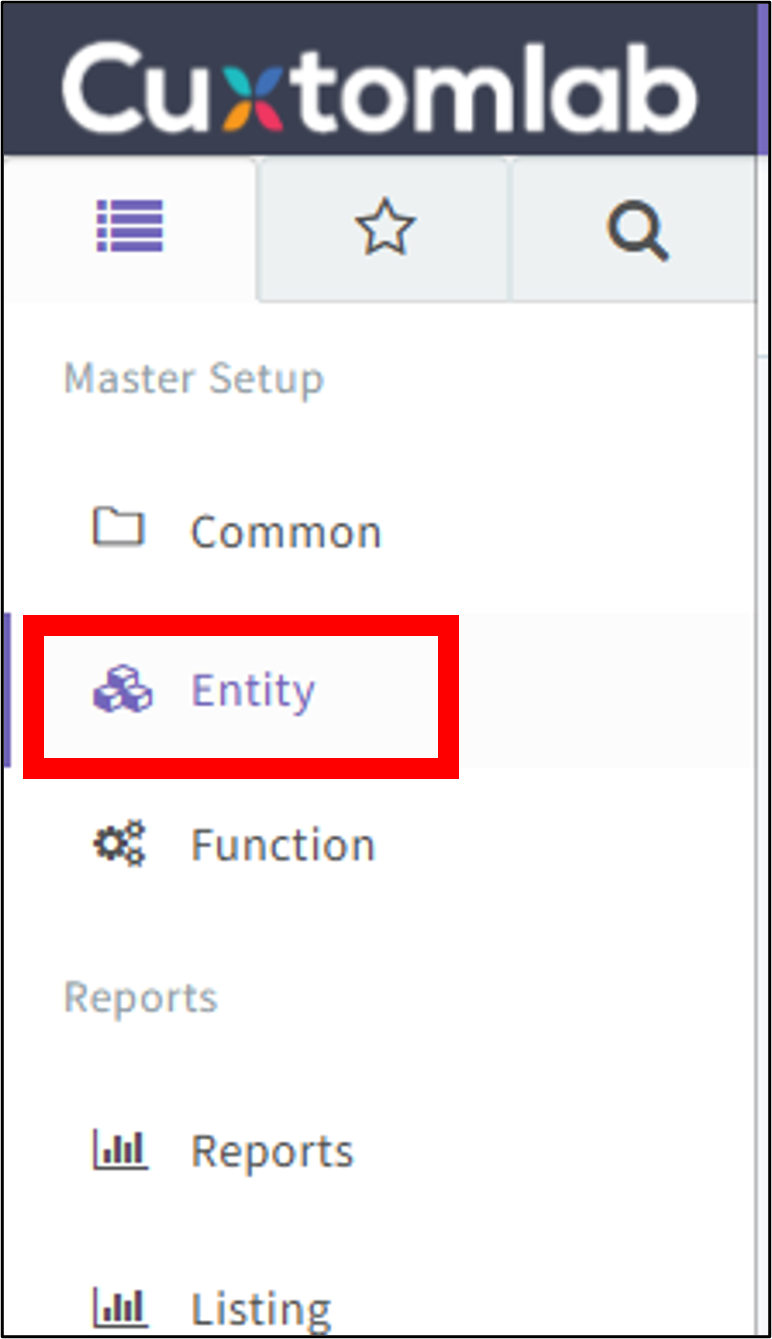
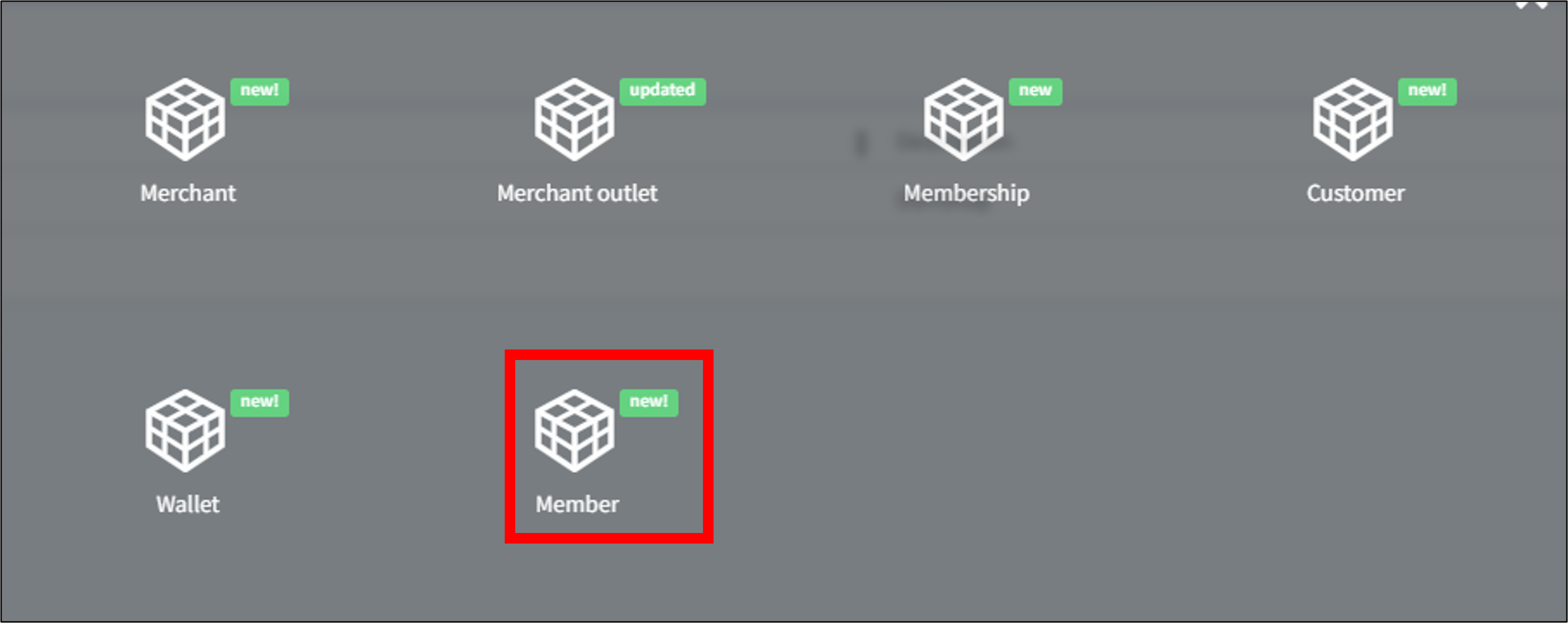
1. Click the 3-dot icon and select Filter.
2. Choose Contains and enter the member's name.
3. Click Filter to apply.
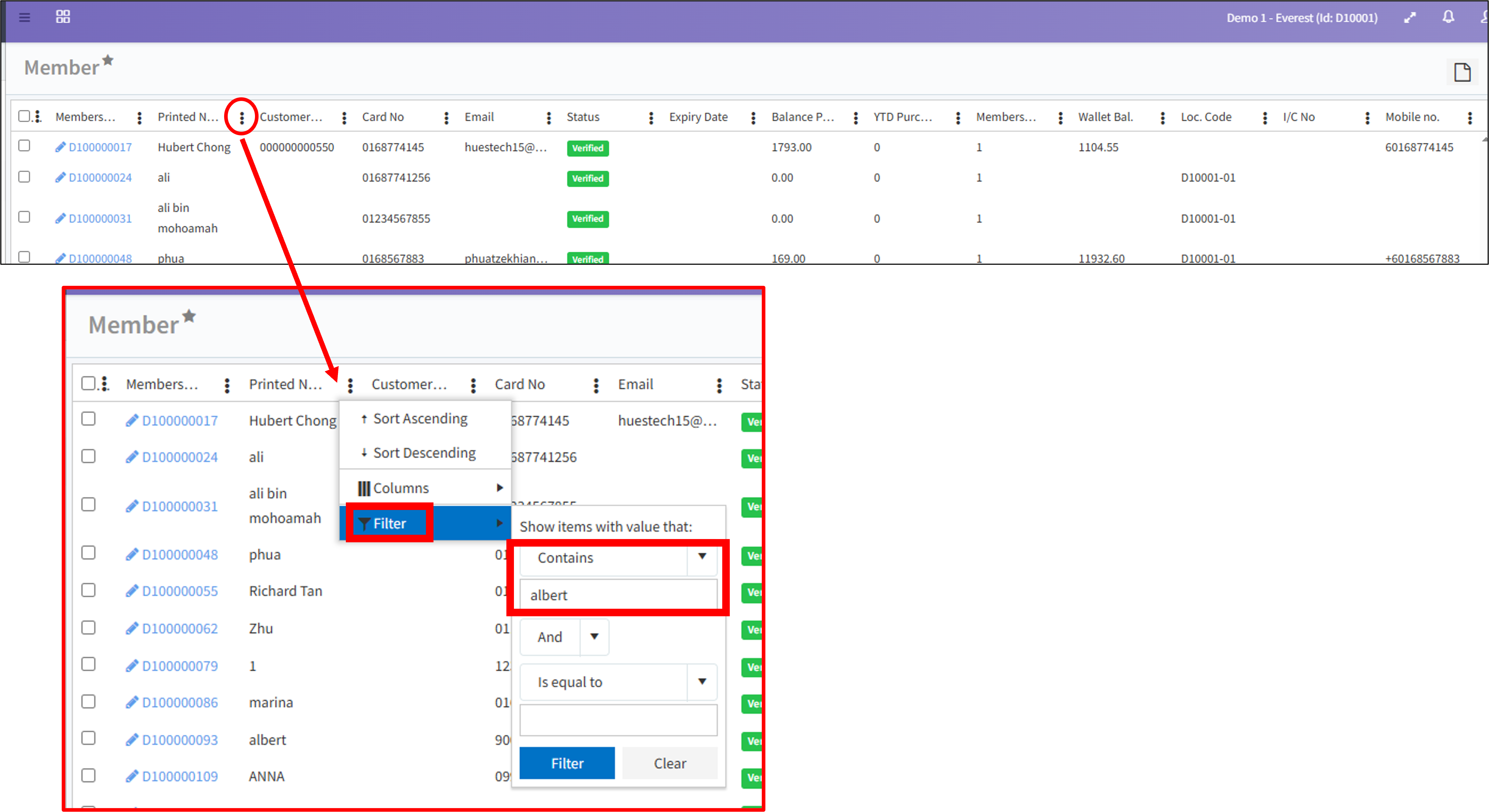
*Display only the matching member records.
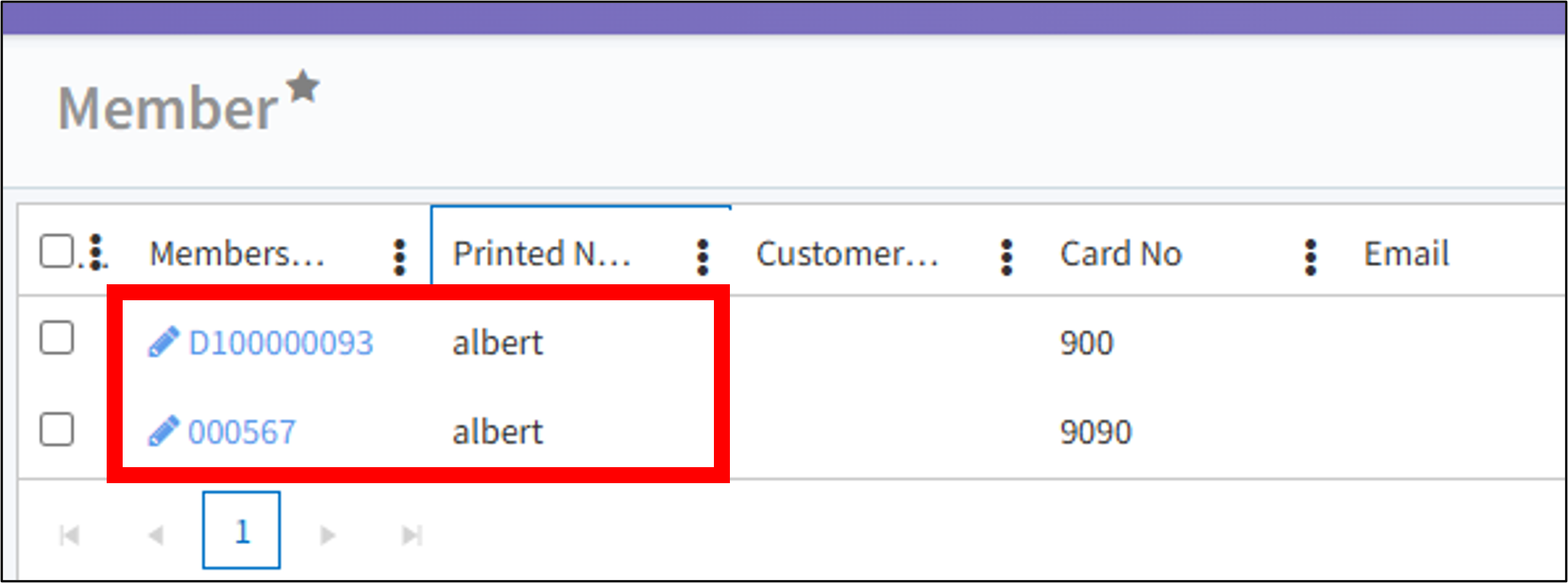
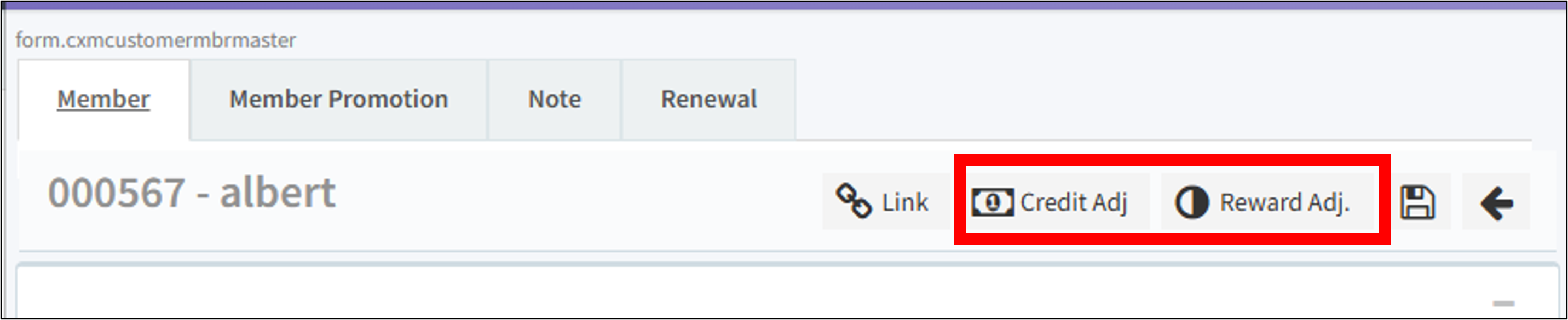
Click the Membership Number to view the member's details. From here, you can perform two types of adjustments:
-credit adjustment – Adjust the member's wallet credit balance.
-reward adjustment - Adjust the member's reward points or stamps.
**ONCE SUBMITTED, ADJUSTMENTS CANNOT BE CANCELLED OR REVERSED. DOUBLE-CHECK BEFORE CONFIRMING.**
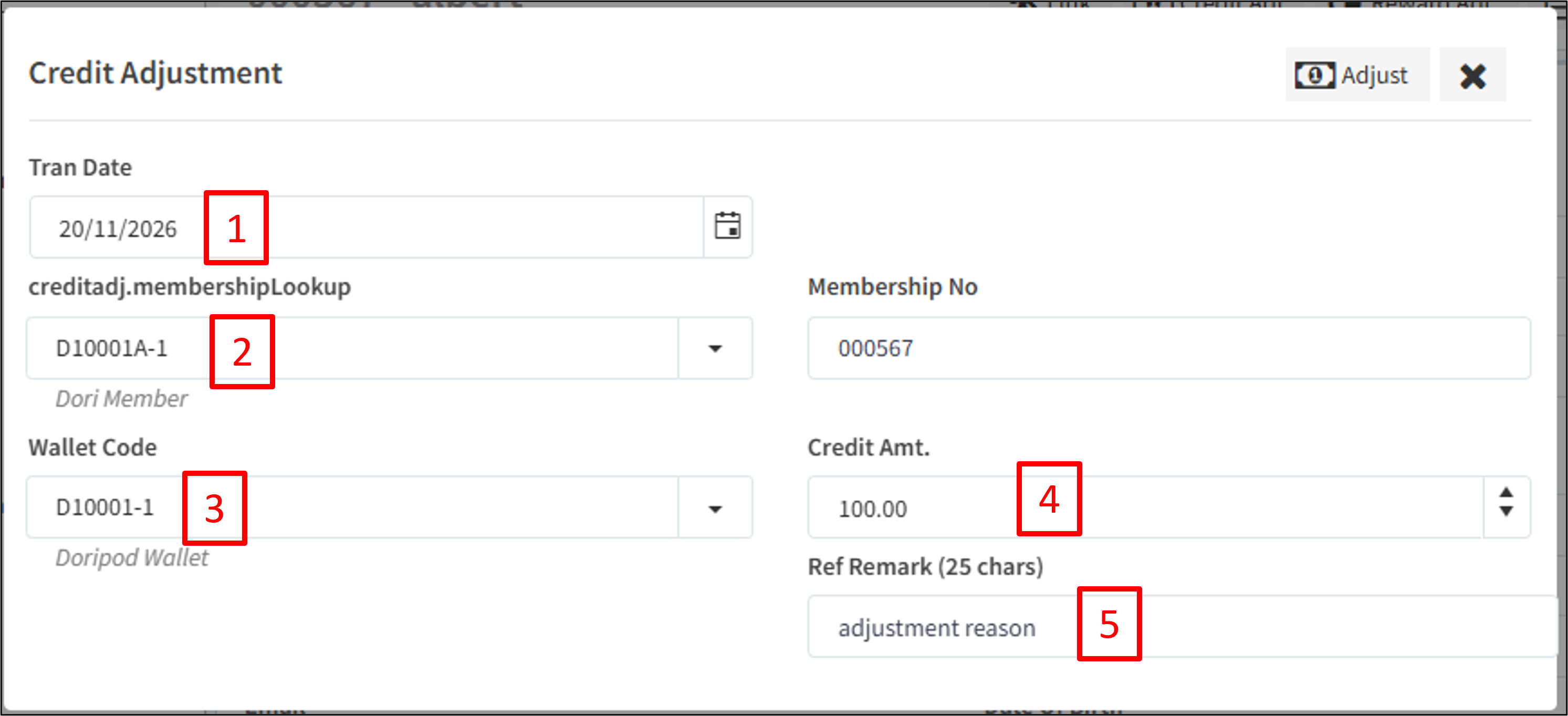
Credit adjustment
[1] Transaction Date – Select the date for this adjustment.
[2] Membership Level – Ensure the correct membership level is selected.
[3] Wallet Code – Select the wallet code (usually only one option is available).
[4] Credit Amount – Enter the amount you wish to credit to the member's wallet.
[5] Reason – Enter the reason for this adjustment.
**ONCE SUBMITTED, ADJUSTMENTS CANNOT BE CANCELLED OR REVERSED. DOUBLE-CHECK BEFORE CONFIRMING.**
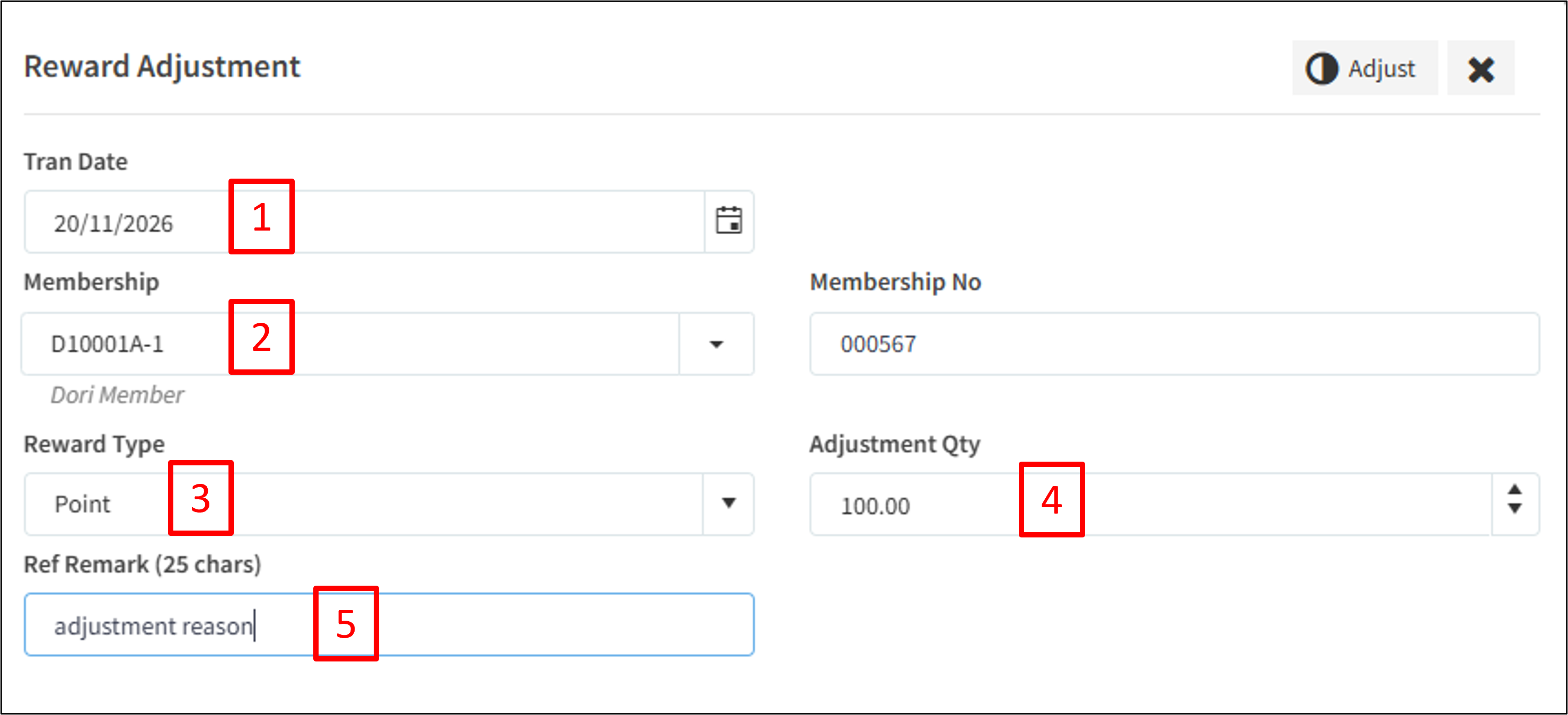
Reward adjustment
[1] Transaction Date – Select the date for this adjustment.
[2] Membership Level – Ensure the correct membership level is selected.
[3] Reward Type – Select the reward type you wish to adjust.
[4] Reward Amount – Enter the number of points or stamps you wish to credit to the member.
[5] Reason – Enter the reason for this adjustment.
**ONCE SUBMITTED, ADJUSTMENTS CANNOT BE CANCELLED OR REVERSED. DOUBLE-CHECK BEFORE CONFIRMING.**