Categories
Step 8 - Cancel of Self Billed Invoice (in Purchase) using Purchase Return (Credit Note) after 72hours.
Cancellation of Self-Billed Invoice (in Purchase) after 72hours.
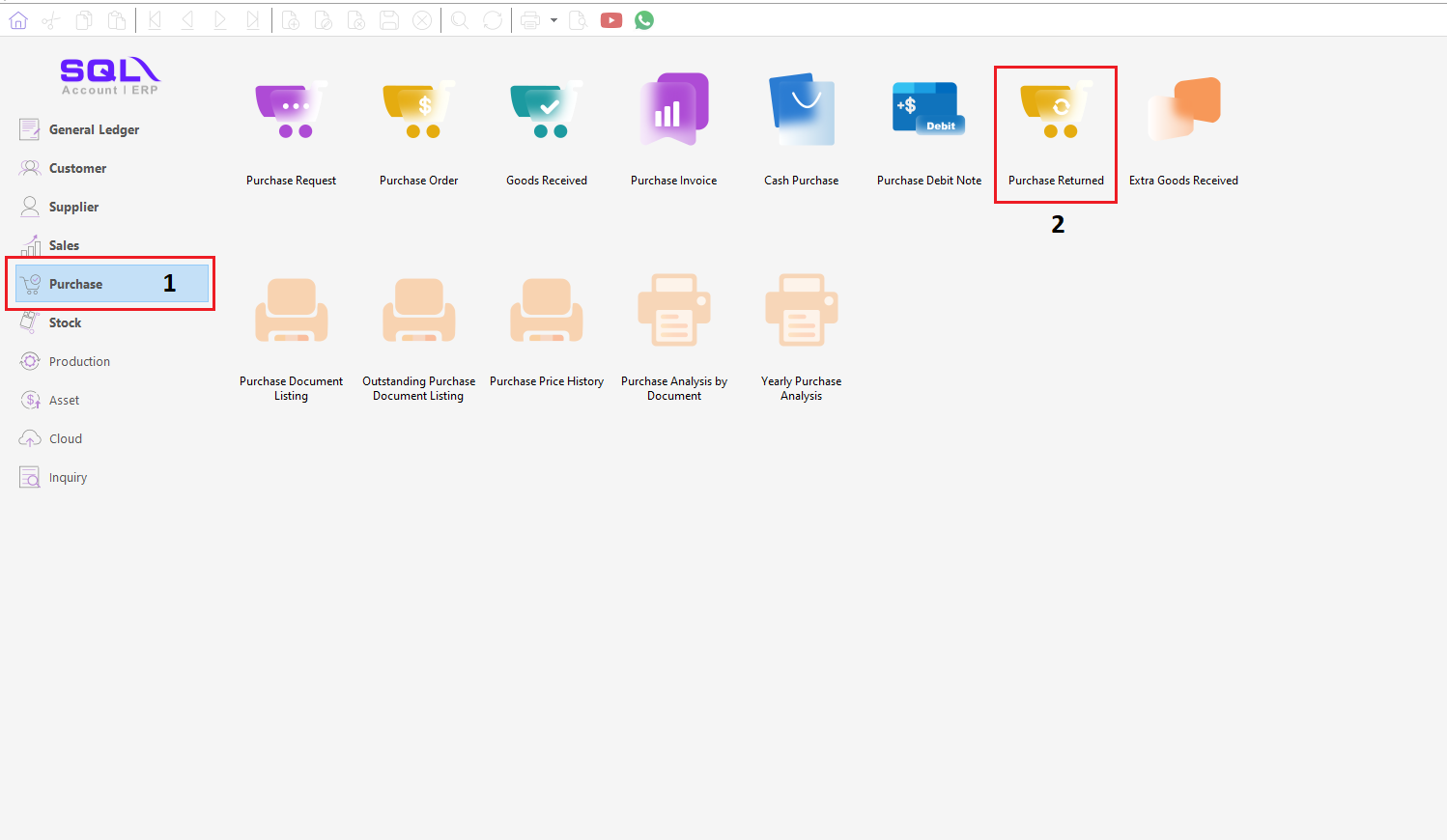
1. To cancel a Validation Self-Billed Invoice in Purchase, that over 72hours, need to use Purchase Returned (Purchase Credit Note). click on Purchase > Purchase Returned.
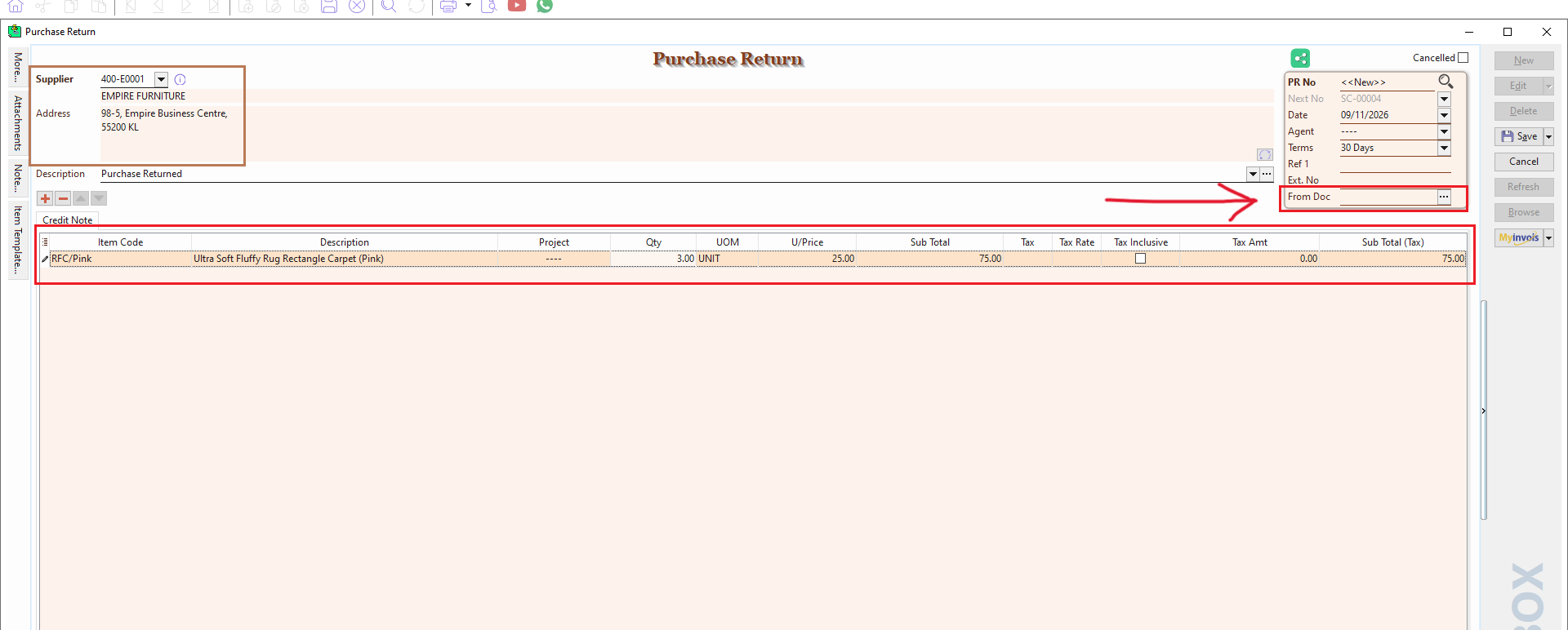
2. After create NEW, fill in the details that need to be cancel. on the right side, click on 3 dots '...' of From Doc.
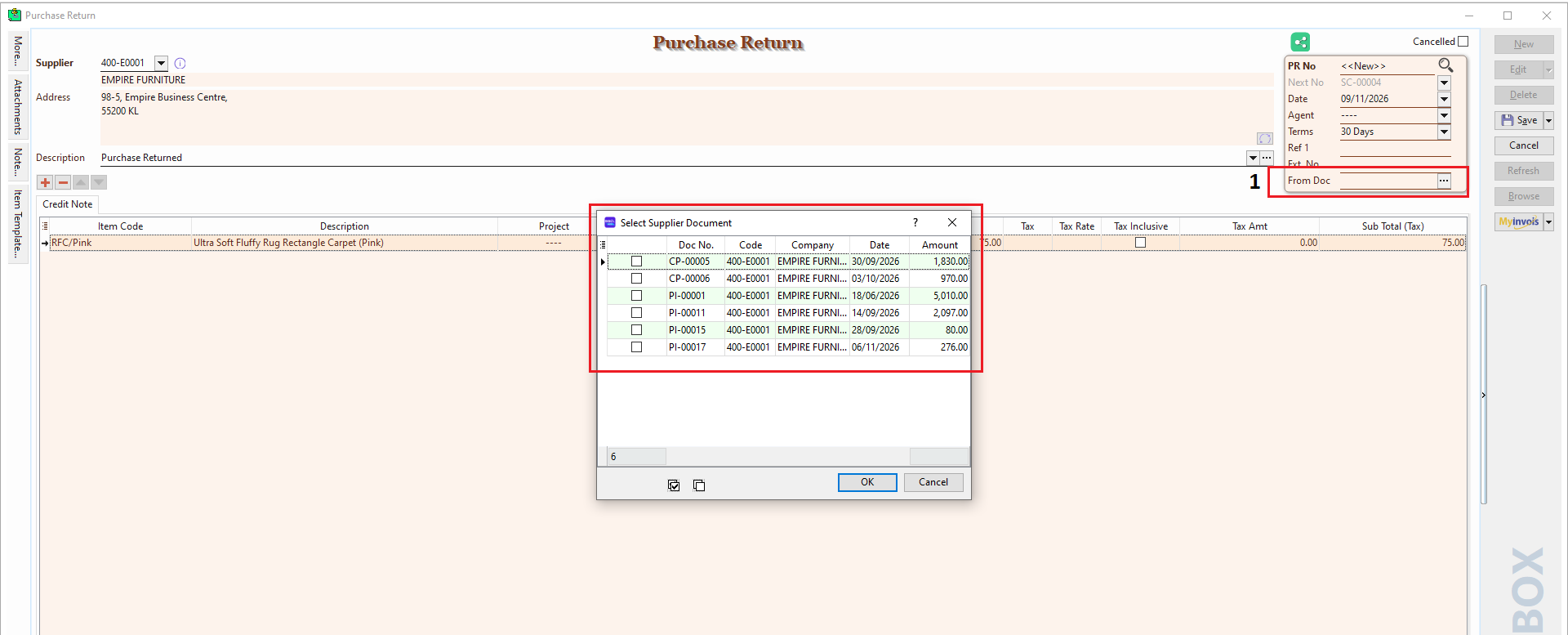
3. After click the 3 dots, choose the validate document as a reference for cancellation. Then, click OK.
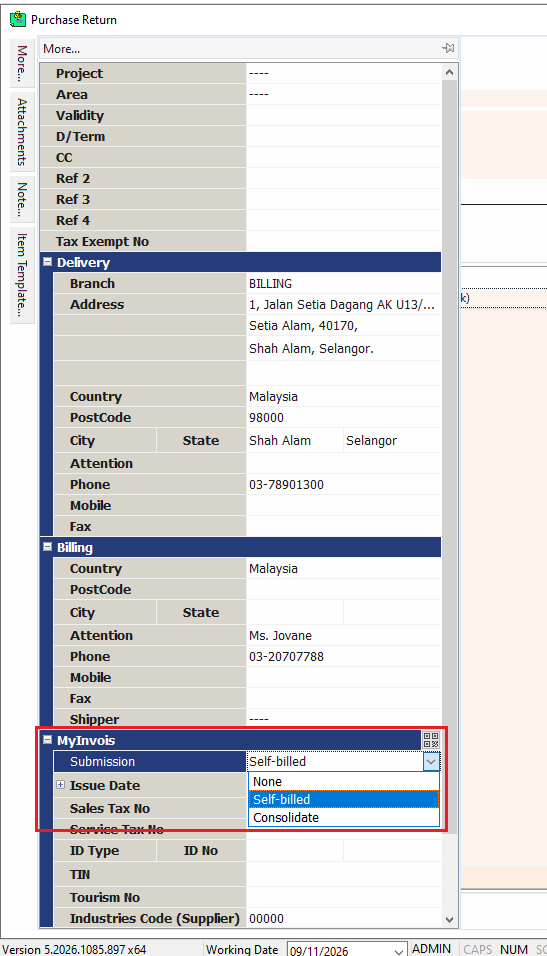
4. at the MORE panel, double check the details and make sure the submission type is Self-billed.
(The submission type is follow by validation of document. Eg. Purchase Invoice submit as Consolidate, Purchase Returned also need to submit as Consolidate)
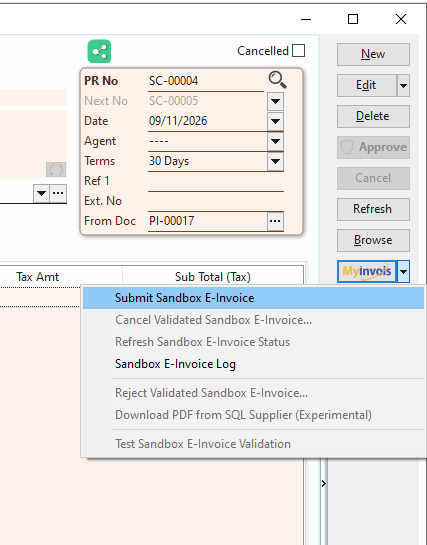
5. After done all the checking, click Save. on the right side bar, click MyInvois Button. then, click Submit E-Invoice.