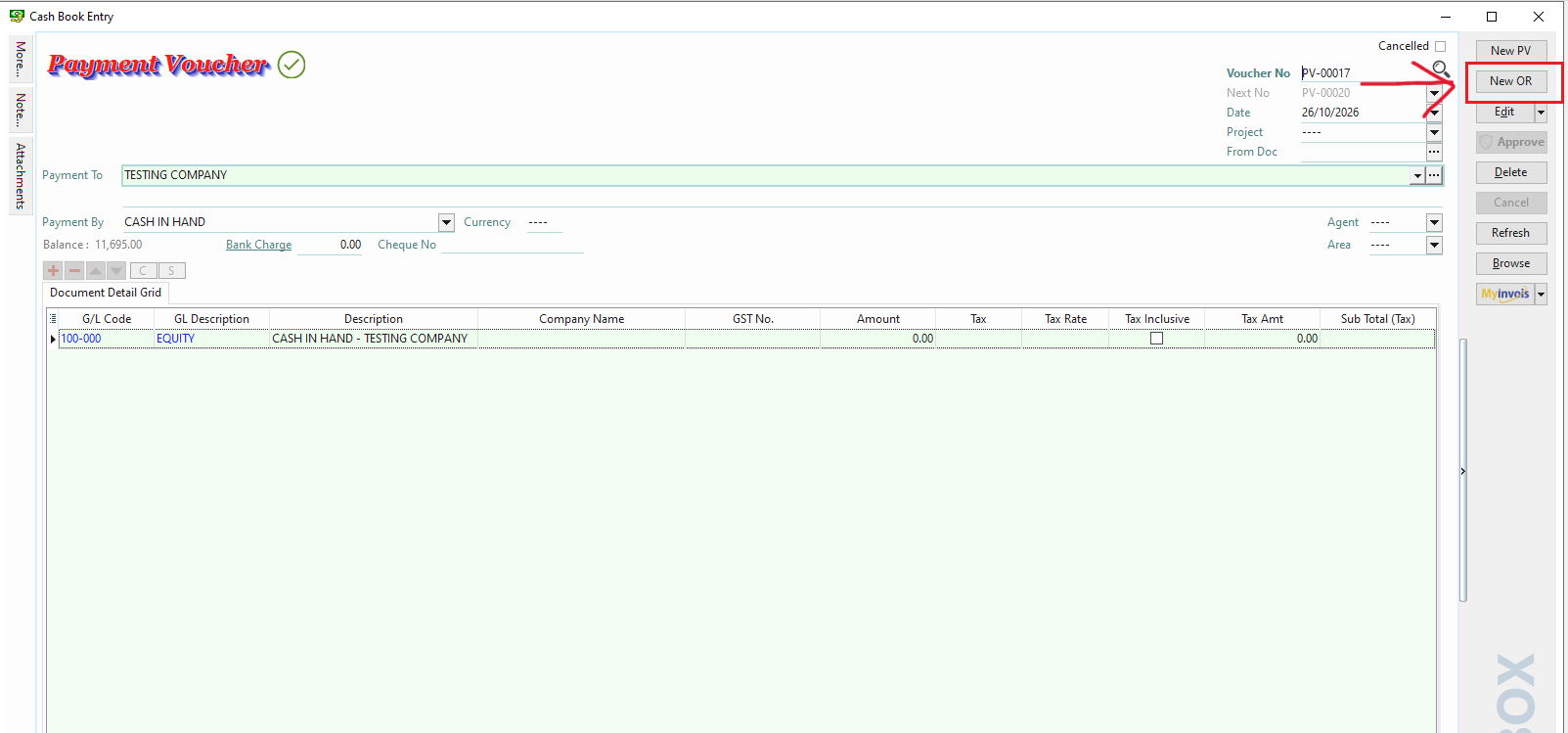
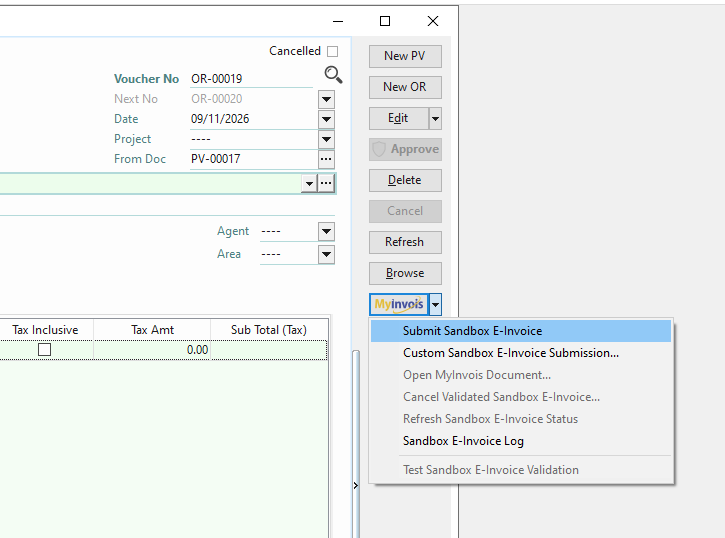
1. on the Validated Payment Voucher (E-Invoice), click New OR on the right side.
Validated Payment Voucher (Self-Billed E-Invoice) -> New Official Receipt (Self-Billed Refund)
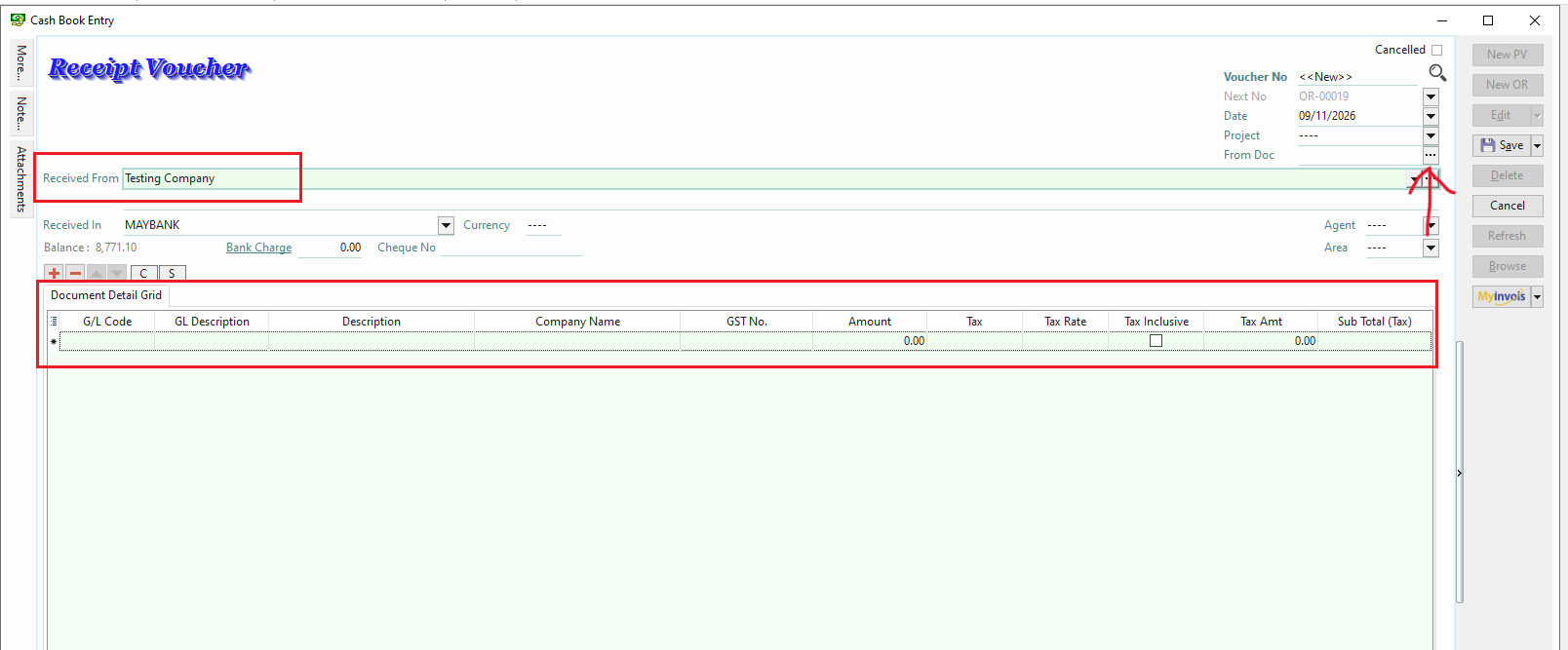
2. on the new OR (Official Receipt), filled in the details and amount EXACTLY like VALIDATED PAYMENT VOUCHER. After filled in the details and amount. click the 3 dots '...' of From Doc on the right side.
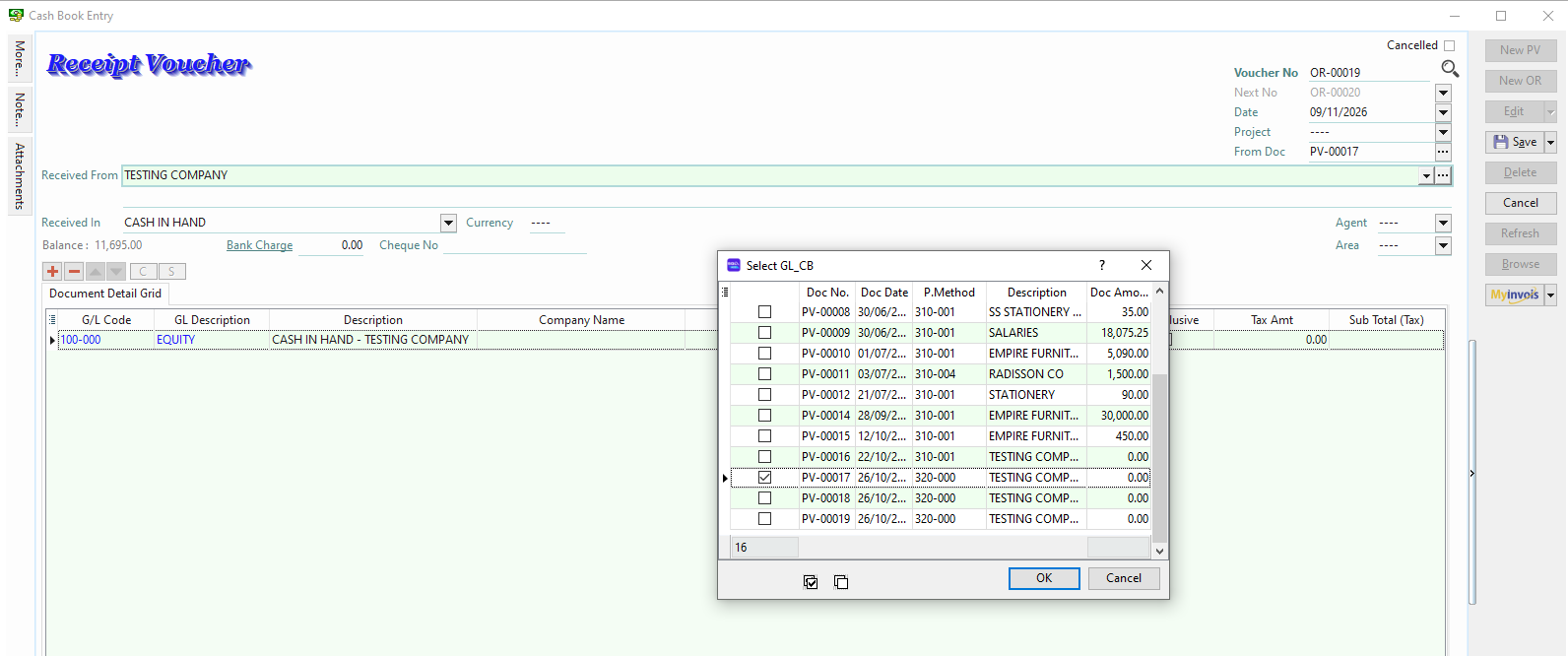
3. Choose the Validated Payment Voucher as document references. (Please ensure that the referenced documents are validated Self-Billed E-Invoices (Payment Voucher).
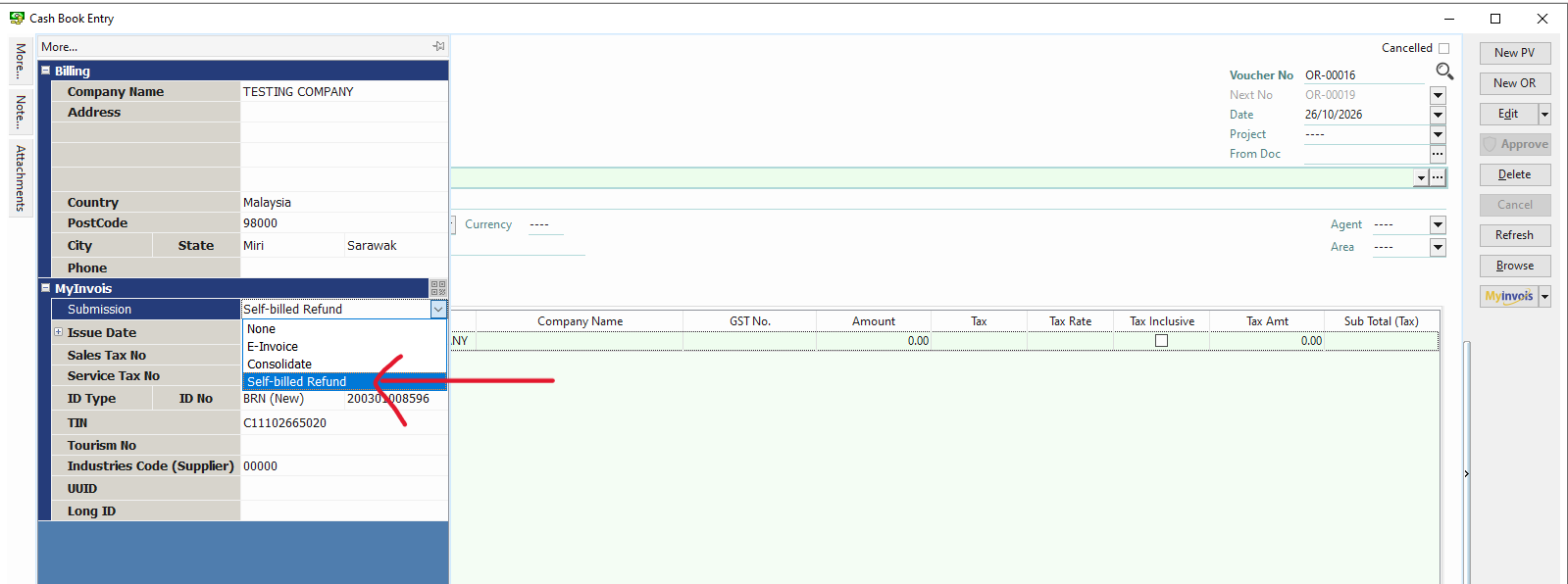
4. at MORE panel, fill in the mandatory field. and on the Submission, chose Self-Billed Refund and click SAVE.
* Make sure the Official Receipt is Self-Billed Refund as submission type.
5. on the right side bar, click MyInvois button, then can submit the OR.