Categories
Credit Note (Knock Off)
Credit Note - How to Knock Off Credit Note.
Credit Note can only knock off based on Invoice/Refund
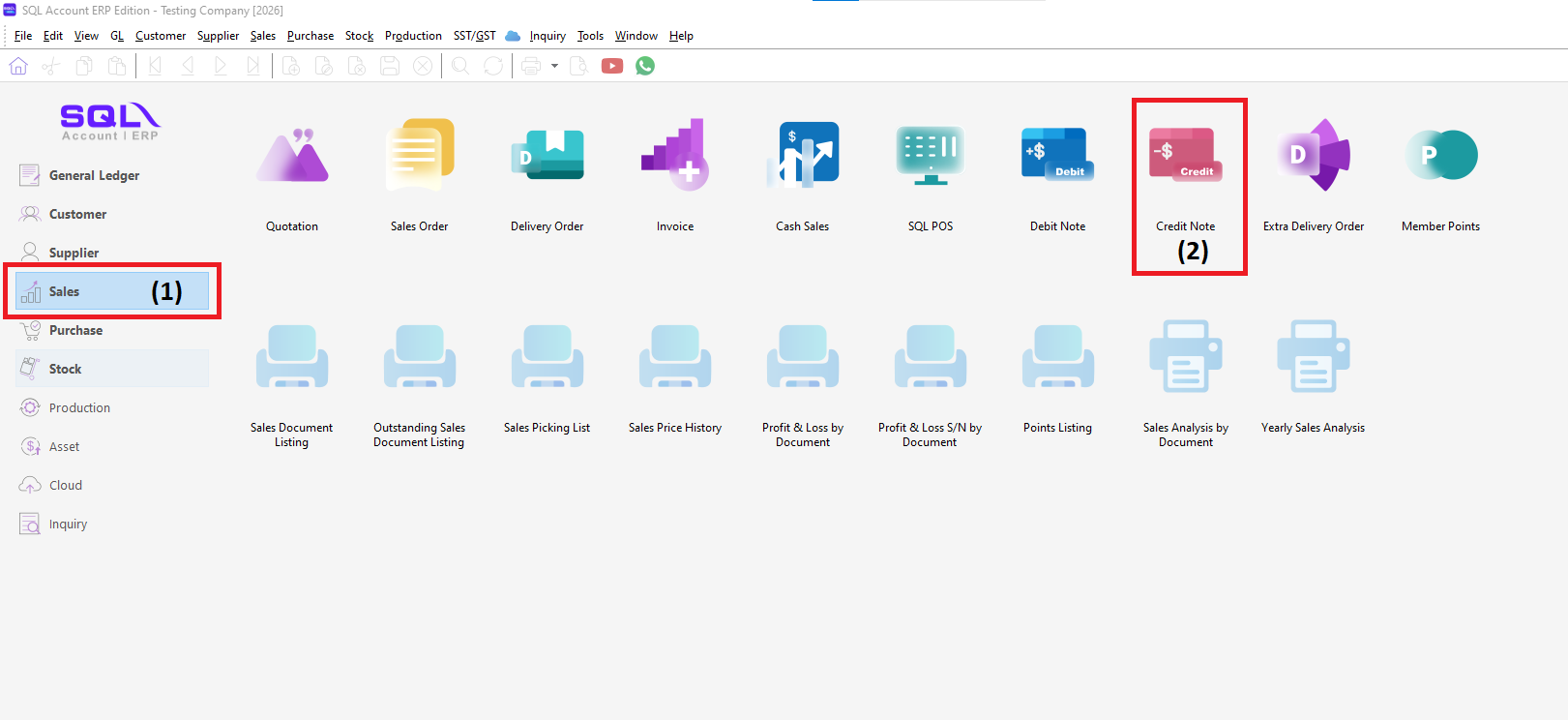
1. Go to Sales > click Credit Note. To create a credit note, must from Sales > Credit Note (where it must be submitted to E-Invoice and need Invoice as Reference)
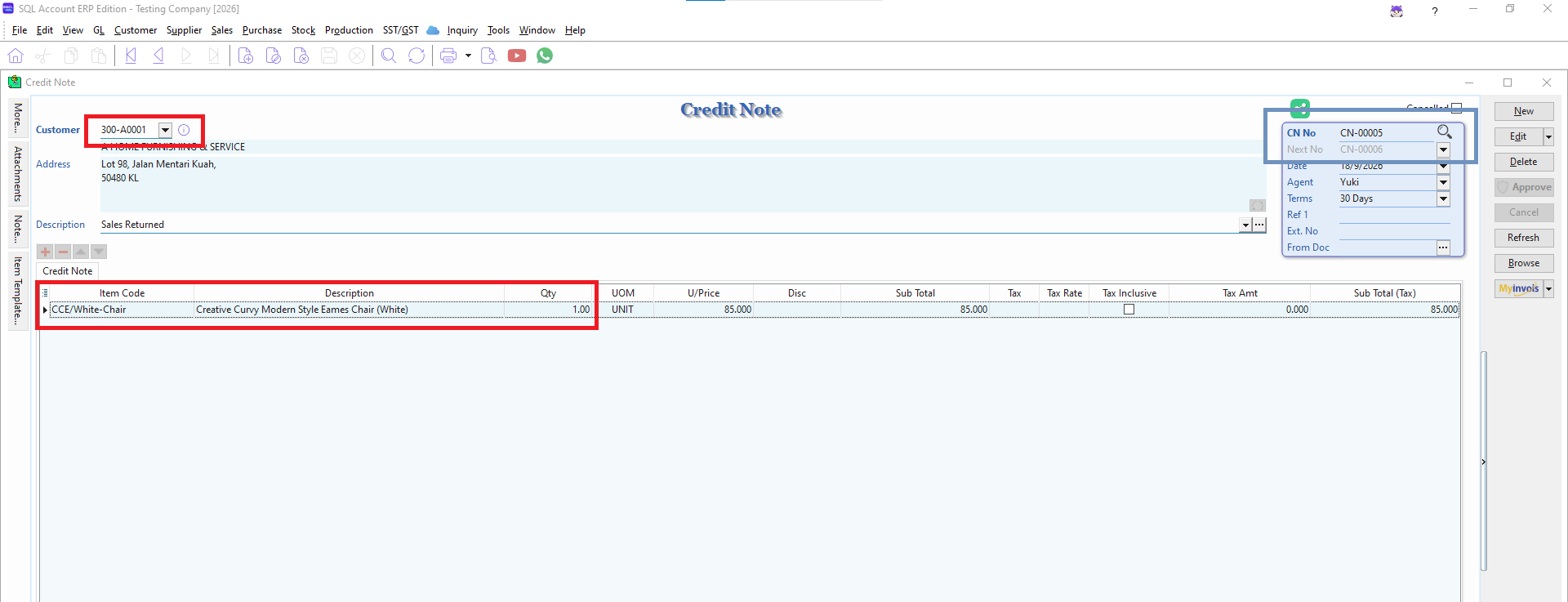
2. Key-in the details of Credit Note Transaction/Document. Select the Customer Code, Item Code, and others details. TAKE NOTE on the DOCUMENT NUMBER
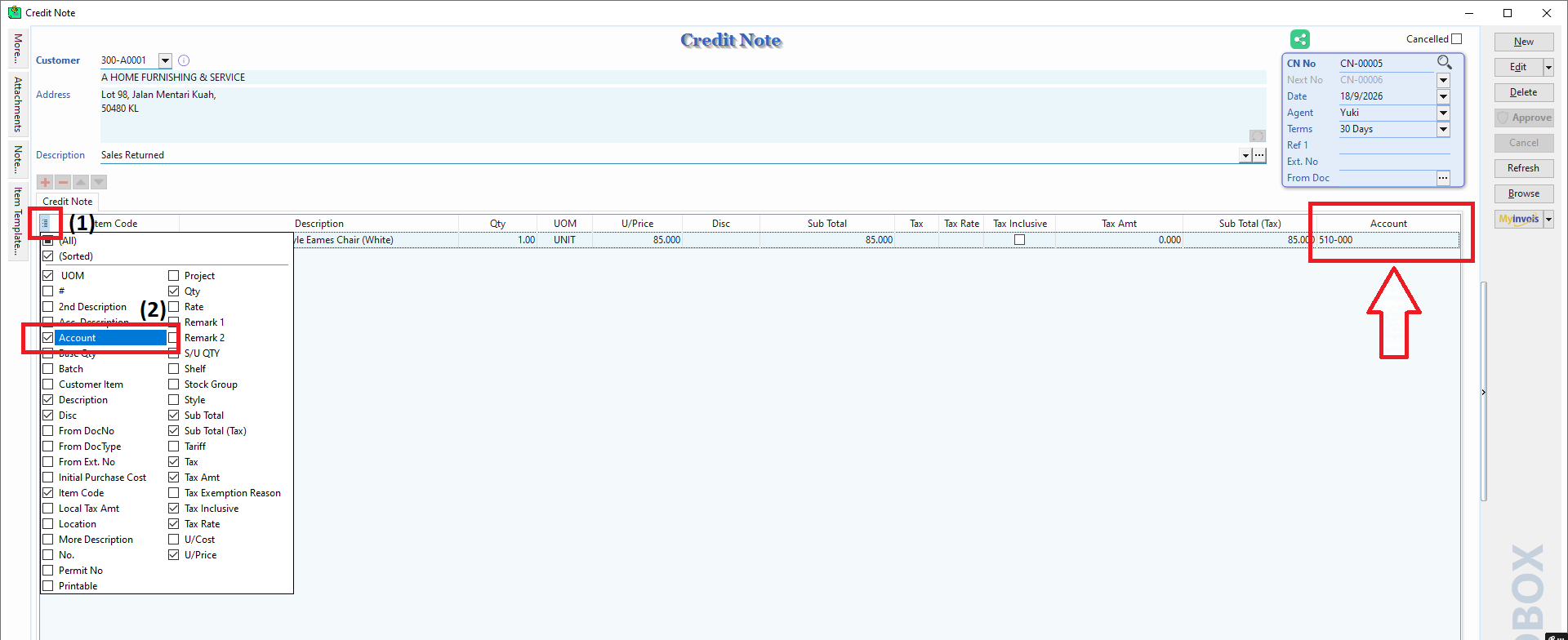
---- IF need an account code for that Credit Note, You may click on the hamburger, can TICK Account and in the grid will show up the Account Code.
3. After SAVE the Credit Note, It will be auto posting to Customer > Customer Credit Note. Then, Go to Customer > Customer Credit Note. At Customer Credit Note Entry , Find back the Document Number.
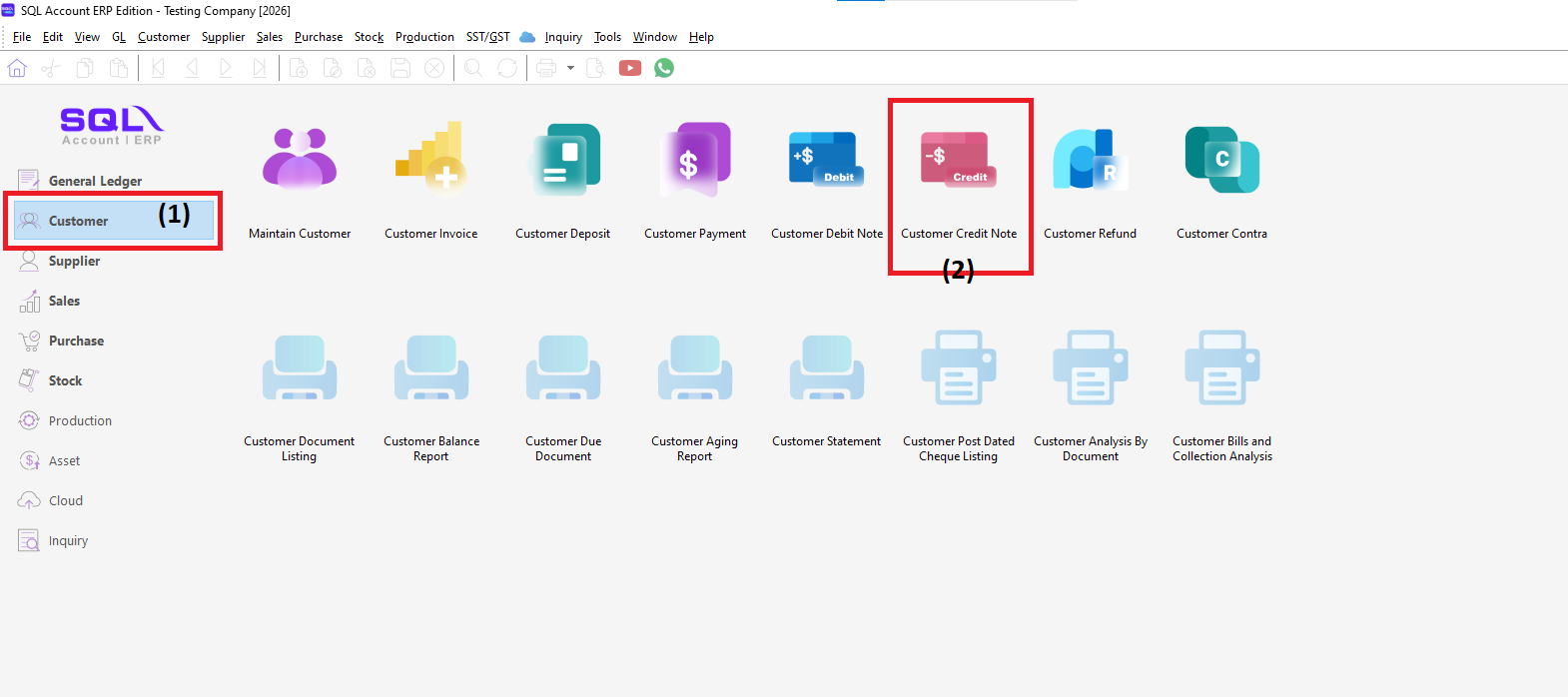
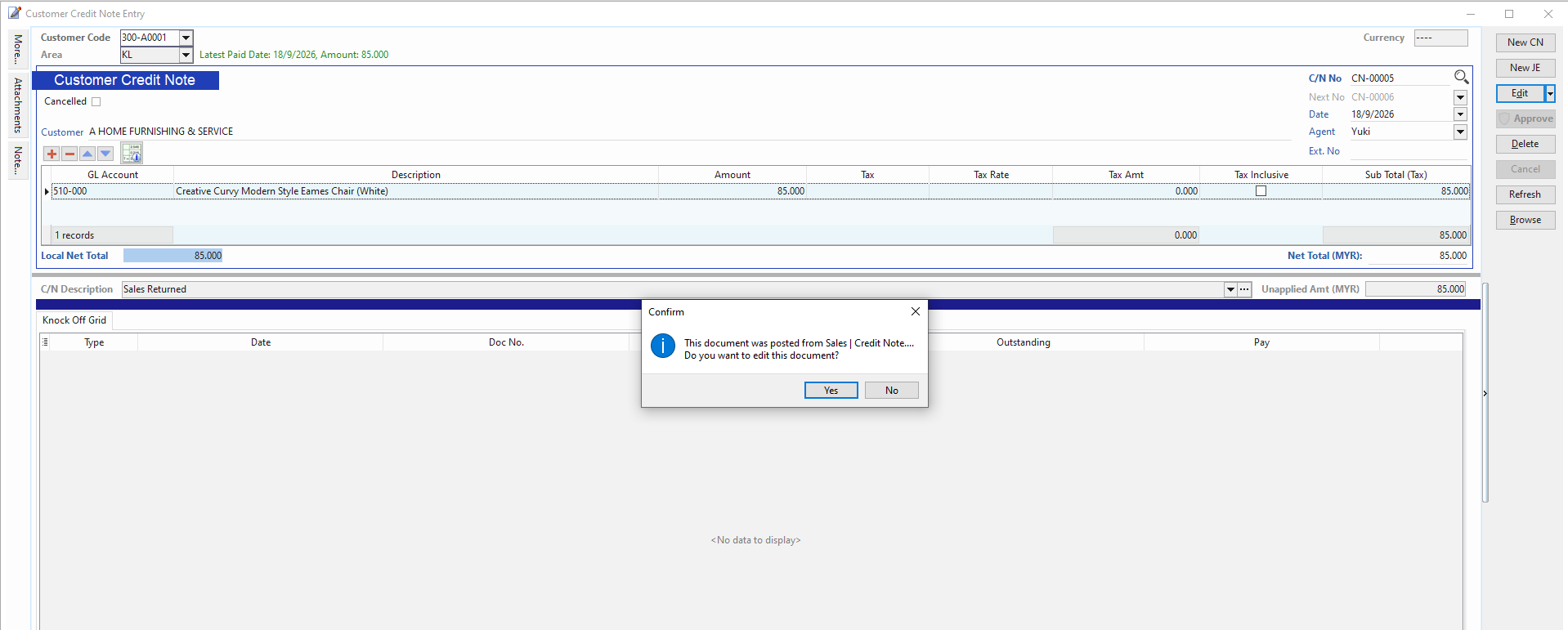
4. After Found the Document Number at Customer Credit Note Entry, click EDIT. Will pop up a message show " This document is from Sales | Credit Note ", click YES
5. After click YES, it will show all Invoice document related to that CUSTOMER will be shown up. TICK related INVOICE for that Credit Note.
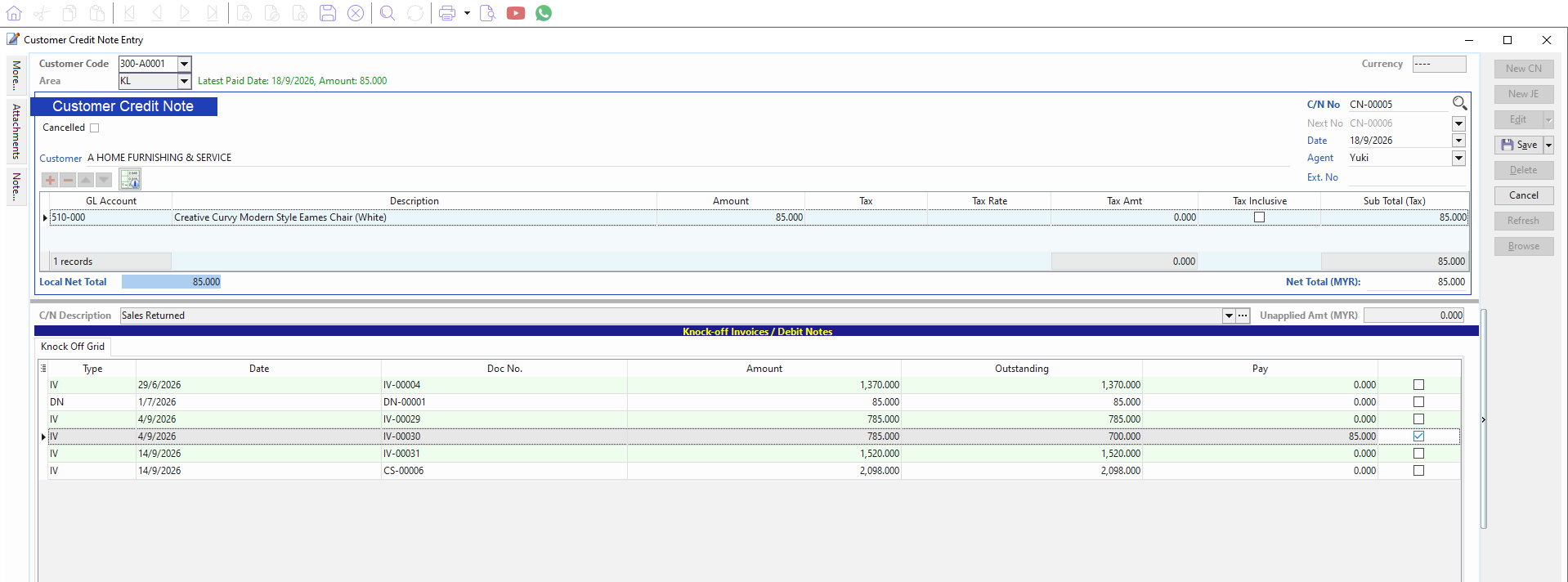
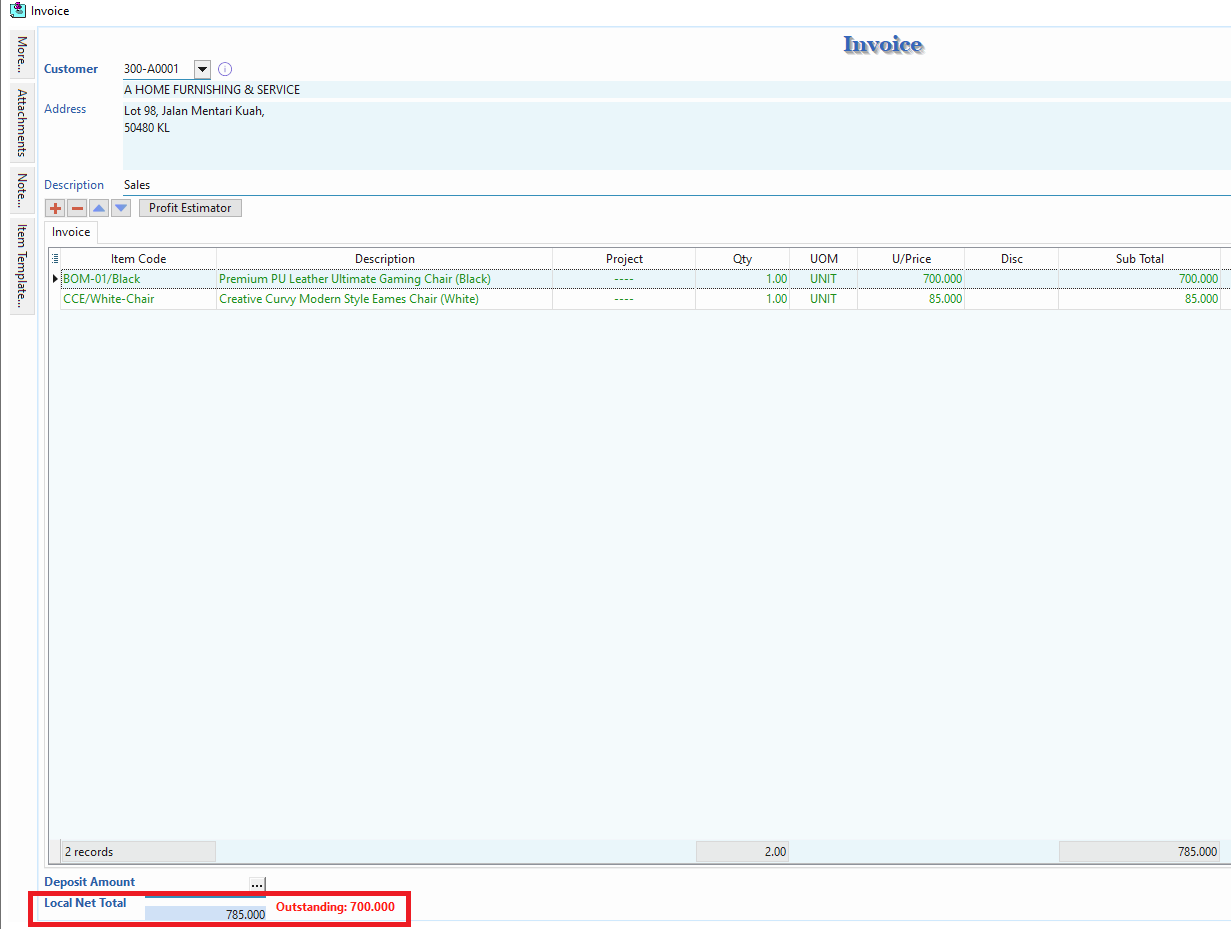
6. After knock off the related Invoice, the Outstanding Invoice will be reduce, which the invoice already been knock off.