Categories
Upselling and Cross-selling
1-Select the item that need,
From the example, click in the item code [DP01], 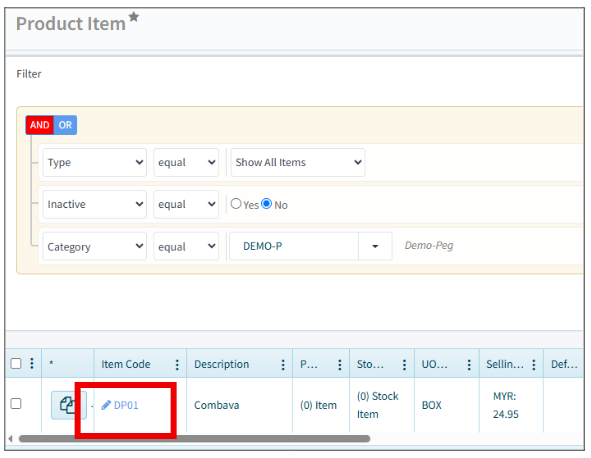
2-Tick [Auto Cross Sell] to activate the cross-sell function at the bottom red column.
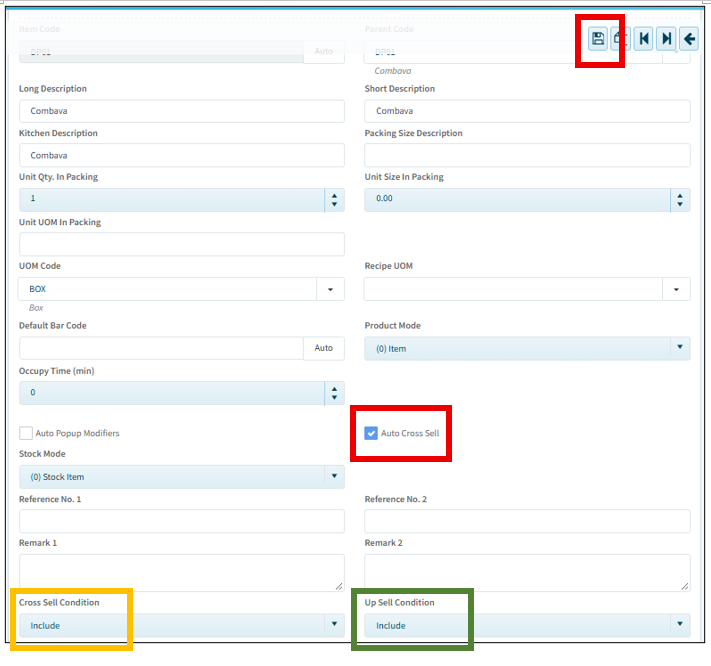
-Select Cross selling as [Include] on the left side, yellow column.
User can customize different items the recommend customer to purchase, in order to increase sales.
-Select Up selling as [Include] on the right side, green column.
This is to let customer to upgrade their items to larger size or bigger portion.
After selection, go to top right to [Save].
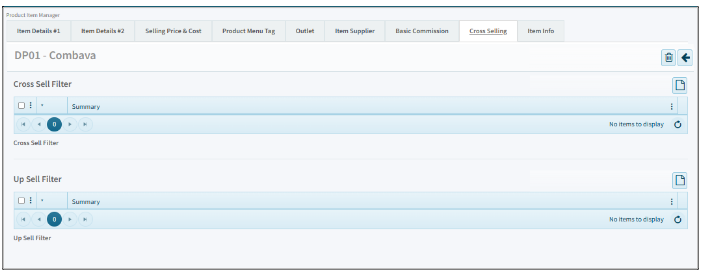
3- May move to [Cross Selling] tab for customize the items that you wish to sell.

4-This is Cross Selling tab. Click [Paper] to add on the items that wanted to cross sell or up sell accordingly.